– Warehouse Management Systems
Stock management is an important process to review as a business grows and/or expands product lines. Lost time due to lost goods leads to poor sales performance which start to accumulate making business operations inefficient as these business demands & requirements increase.
Below is a brief overview of how typical business activities are supported by Fast Inventory products for the efficient and accurate capture of business data (stock).
Business Activities
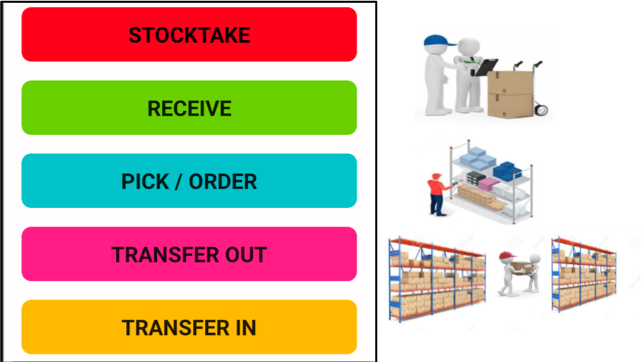
Fast Inventory products cater for stock management in a number of different environments that engage in the sale of goods. A business that engages in the sales of product requires at minimum two main processes ( Product Purchasing and Product Sales). Associated with these two processes are five essential activities that relate to stock management (Stocktake, Receiving, Pick/Order, Transferring IN and Transferring OUT [ where locations are utilised]).
1. Purchasing Process
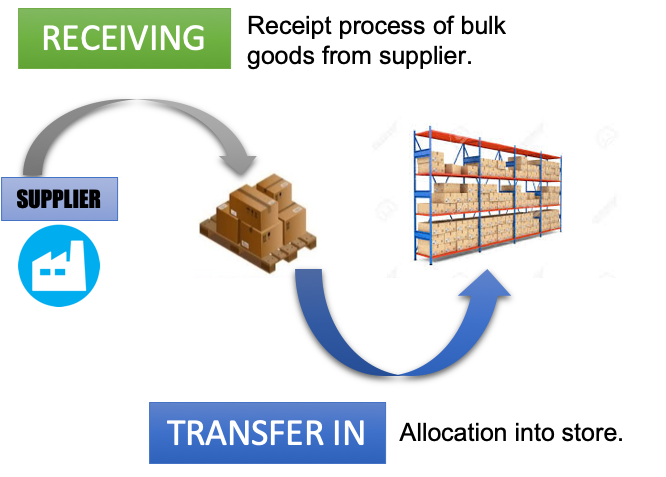
Most organisations start with a “Purchase process” where goods are ordered from a supplier to either on-sell or add further value to the purchased raw materials. The associated activity for this process at the stock level is the “RECEIVE” activity. This activity is essential in understanding which goods have arrived and consequently need to be associated/linked to a purchase order for finalisation and payment. An in-accurate account of goods received can lead to payment of lost in transit or miss-shipment of goods from suppliers. Data capture systems ensure a quality managed process through an electronic record and verified receipt.
Xbatch & Xwms products have a RECEIVE activity to capture incoming goods detail. Also, depending on the organisation storage location detail (ie bin/shelf) can be entered during this RECEIVE activity. Alternatively the TRANSFER IN process to allocate a location for the goods can be utilised when goods are stored using operations that have different operators managing the RECEIVE and LOCATION allocation process. ie goods are first receipted in then left in a specific quarantine area ready to be stored away in a bin or on a shelf at a latter time or utilising a different operator.
2. Sales Process
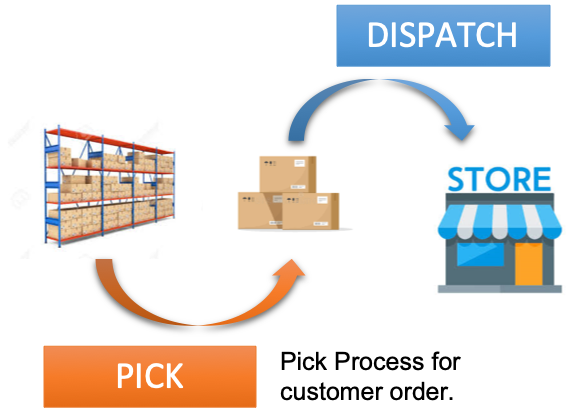
A sales order triggers the release of the goods to be dispatched. In this process goods are picked for dispatch using the PICK activity.
Xbatch & Xwms products have the PICK activity to manage the capture of data for a sales order. If locations or serial numbers are used to keep records of goods being shipped out this can also be entered using the PICK activity.
3. Stocktake
The final component to good stock management operations is to conduct regular stocktakes. The more accurate knowledge of stock and where it is (in organisations where locations are used) promotes maximum sales throughput which leads into the timely re-ordering process that meets customer demand.

4. Stock Movement
Stock movement facilitates efficient warehouse/store/restaurant management by having stock in the optimal location. For example goods received may be in bulk package form which facilitates efficient storage. However goods stored in smaller bins may facilitate more efficient use of space and utilisation of resources for picking of goods for sales orders.
In a hospitality environment stock movement of goods from restaurant to bar is common and understanding where goods are being sold helps benefit in understanding product usage for such organisations.
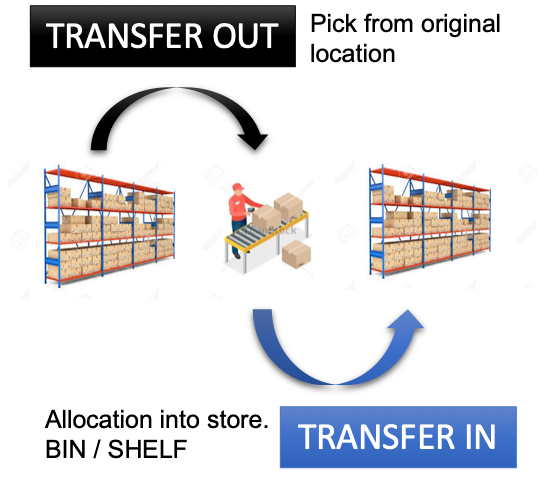
Xbatch and Xwms products utilise the TRANSFER IN and TRANSFER OUT activities. A TRANSFER out is conducted when goods will be moved out from a particular location and the TRANSFER IN activity used to capture data about where the goods are to be relocated.
5. Centralised Stock Management
Centralised stock management is generally managed by most backend accounting system. The transfer of data is generally done by uploading CSV (comma separated data) files. The benefit with this process is that data can be first checked by an admin person before committing the data to the accounting system. Additionally these files can also be archived for traceability and tracking.
Xcentral is an alternate PC based product that can be utilised for those organisations that prefer to have the stock management process seperate from the accounting system or in cases where the accounting system has no built in capability.
Xcentral enables multiple mobile terminals to be managed to capture data using activities and centralise the data in one data base.